
Unknown
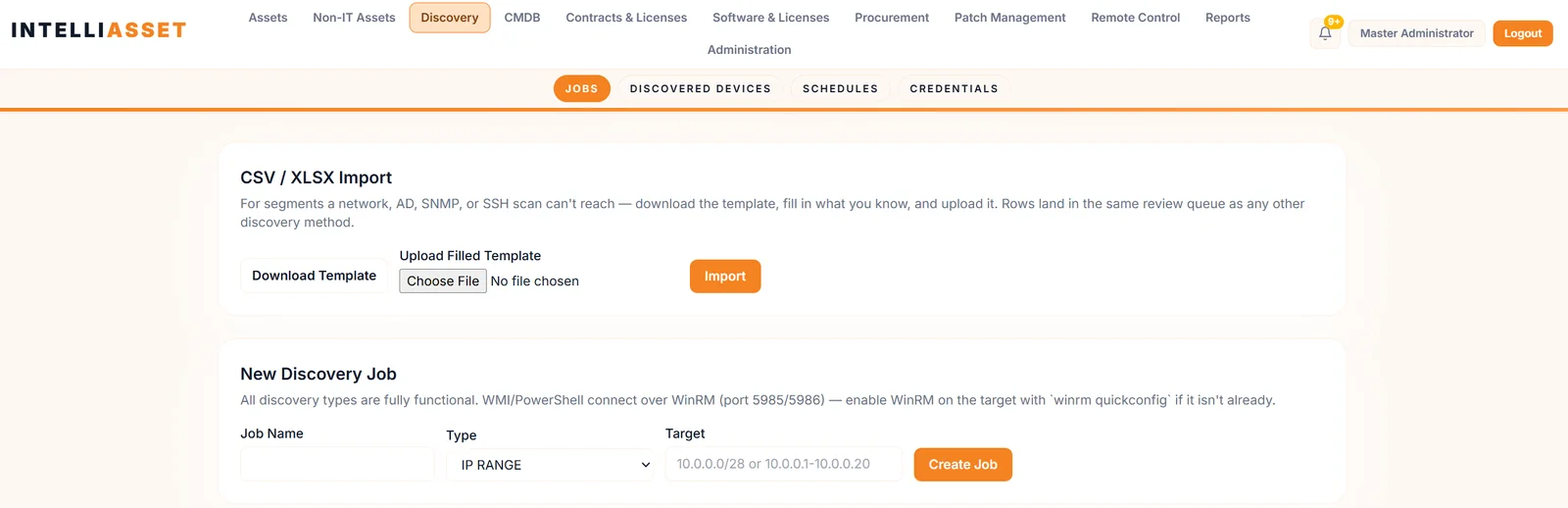
Devices that never reached the register, added in a hurry, brought in by a vendor or left over from a project. Nobody patches what nobody knows about.
IT OPERATIONS
Unified360IT operations & observability platformNetwork TopologyAuto-discovered mapsLink UtilizationBandwidth and link qualityBusiness Service ManagementApplications, services and impactIPAMSubnets, IPs and conflictsAlerting & EscalationDetect, notify, recoverSERVICE & ASSETS
ITDeskIT service management platformIncidents & SLAsOne desk for every requestIntelliAssetIT asset & patch managementPatch ManagementDetect, deploy, roll backISMS Audit PackISO 27001 evidence, readyBY CHALLENGE
Blind Spots in InfrastructureNo extra tools: hardware to URLs on one screenSlow Ticket ResolutionRoute, watch and escalate to fix fasterUnknown Assets & Unpatched SystemsKnow what you own, patch what's exposedUncontrolled Privileged AccessVault, approve, record and auditManual, Repetitive OperationsAutomate approvals and remediationAudit & Compliance PressureEvidence on demandBY STACK
Networks & WirelessSwitches, firewalls and controllersServers & DatabasesWindows, Linux and leading databasesVirtual & Hybrid EstatesHypervisors and hybrid workloadsEndpoints & DevicesAgent-based inventory and updatesRemote & Privileged SessionsAgentless SSH, RDP and VNCTools & IntegrationsITSM, SIEM, webhooks and emailLEARN
Quick Start GuidesSoonGet productive with any Autointelli product in minutes.Product DocumentationAdmin manuals, how-tos and API references.Integration CatalogSoonWhat Autointelli connects to, and how.IT Terms ExplainedPlain-language definitions of everyday IT jargon.DISCOVER
Customer StoriesHow organisations get measurable results.WhitepapersResearch on IT operations, ITSM, ITAM and PAM.Ebooks & PlaybooksPractical, step-by-step operating guides.Product DatasheetsCapabilities and technical specifications.Why AutointelliHow we differ from other platforms.Compare AutointelliSide-by-side with tools you may be weighing.Solution · By Challenge
You can't patch what you don't know exists, and you can't trust the status of what isn't reporting. IntelliAsset finds every device, gets an agent on it, shows what is missing and rolls out patches on your terms, with the evidence to prove it.
The problem
Most unpatched systems aren't ignored. They just never made it into anyone's view.
Devices that never reached the register, added in a hurry, brought in by a vendor or left over from a project. Nobody patches what nobody knows about.
Devices that are known but not reporting: no agent, or an agent that went quiet. The register says they exist. It can't say what state they're in.
Updates that are available but not applied, because nobody sees the fleet-wide picture or nobody dares roll them out without a safe way to do it.
How it slips through
How it slips throughLaptops, servers and network gear arrive through projects, vendors and hurried installs. If it never reached the register, it never gets patched.
Closed withDiscovery by IP range, subnet, Active Directory, LDAP, SNMP, WMI, PowerShell, SSH, CSV and Unified360, on a schedule, into a review queue with duplicate checks.
How it slips throughA device that is on the network but has no agent reports nothing, so it looks fine while it is not.
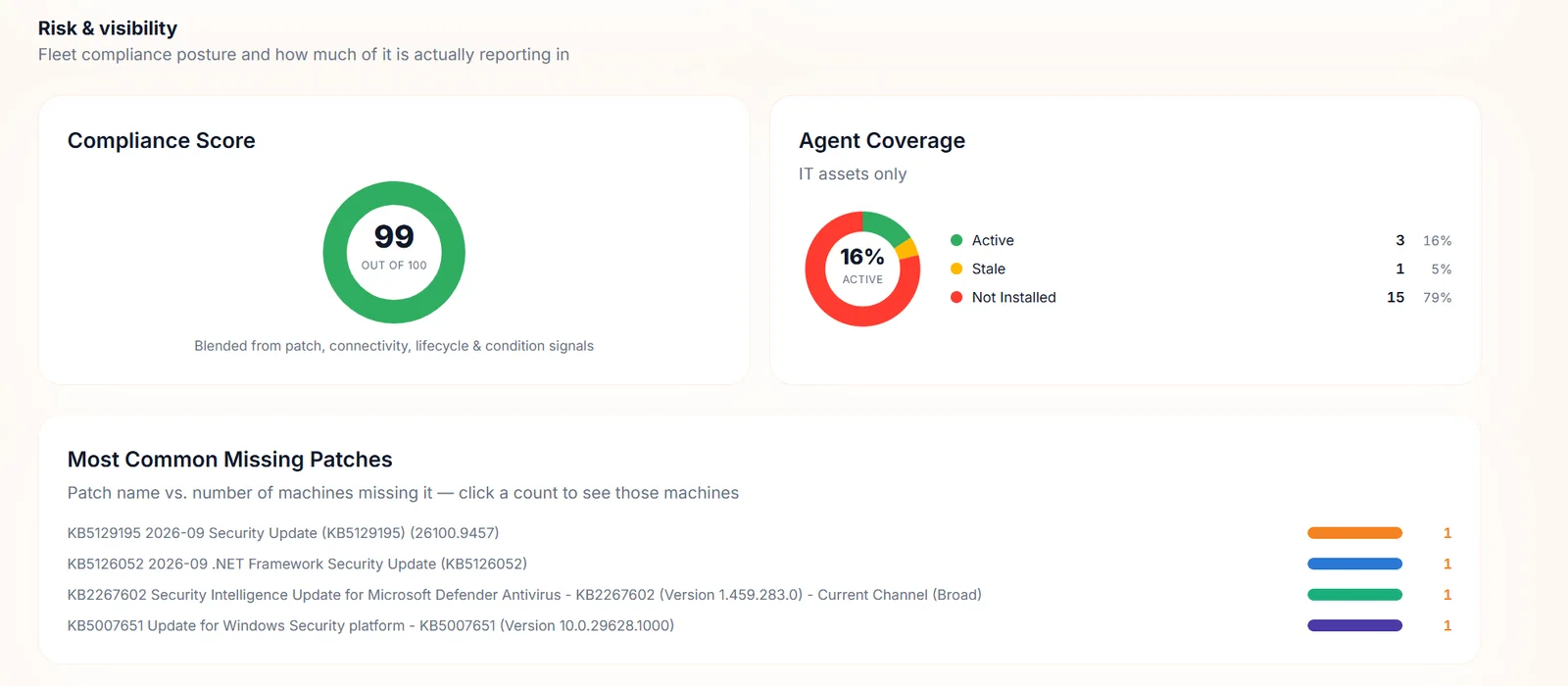
Closed withPre-configured agent installers, agent push over WinRM to discovered Windows devices, and an Agent Coverage view: Active, Stale and Not installed.
How it slips throughAn agent that stopped reporting weeks ago is still a healthy-looking row in the register.
Closed withAgents send heartbeats, devices show as online or offline, and connectivity counts toward the compliance score, so silence pulls the score down.
How it slips throughPatch status lives in each machine's own update settings. Nobody sees the whole fleet.
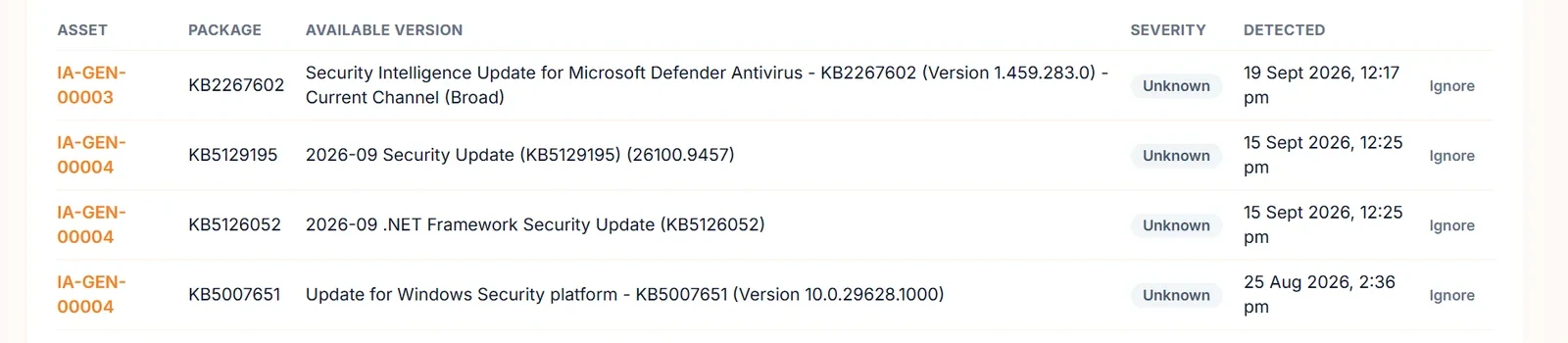
Closed withAgents scan for pending updates, Windows Update on Windows and apt on Debian and Ubuntu. Missing patches are listed per device, with the most common ones across the fleet.
How it slips throughA patch pushed to everyone at once, or a reboot in the middle of the working day.
Closed withPolicies with scope, schedule, maintenance window and four reboot modes, staged rings with a failure threshold that halts a bad rollout, and fleet-wide decline for a bad patch.
How it slips throughThe patching happened, but the evidence is scattered across consoles and inboxes.
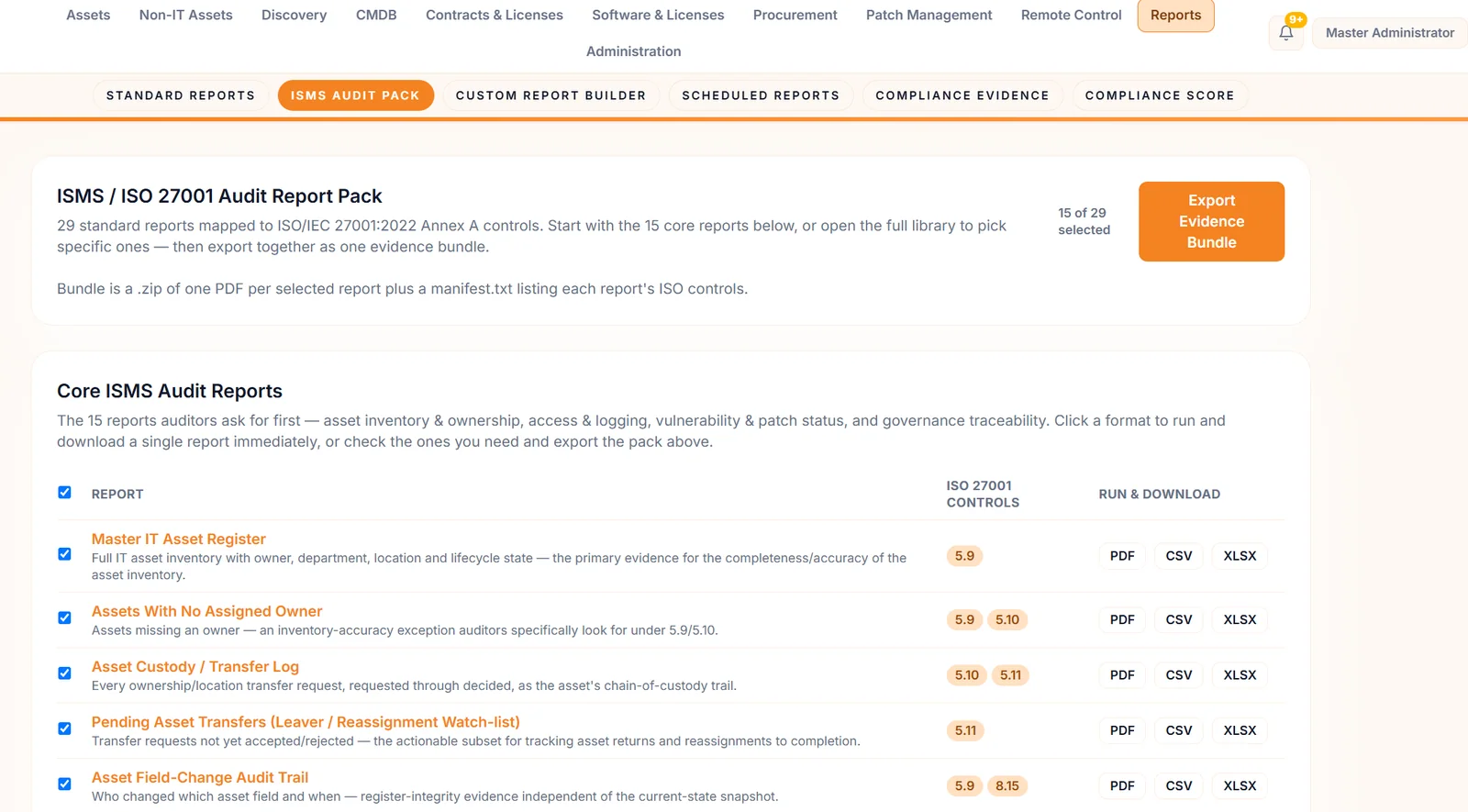
Closed withPatch Compliance Summary, Critical Vulnerability Exposure and Patch Deployment Change Log reports, mapped to ISO/IEC 27001 Annex A control 8.8 and exported as one evidence bundle.
How IntelliAsset closes them
Four steps on one platform, from the device nobody recorded to the report an auditor can read.
Step 1 · Discover
Step 2 · Enrol
Step 3 · Patch
Step 4 · Prove
Patch without the roulette
Pick how devices restart, run the rollout, and break it on purpose to see the failure threshold stop it before it spreads.
Monthly Windows security updates
Illustrative. Rings, wait times, thresholds and reboot modes are set per deployment or policy. Sample data.
Proof, not effort
Each device gets a compliance score from patch state, connectivity, lifecycle and condition.
What changes
Discovery, review and duplicate checks keep the record of what exists close to what is really there.
Active, Stale and Not installed turn “are we covered?” into a number you can improve.
Scope, schedule, windows, reboot modes and staged rings let you patch without surprising anyone.
Patch and asset reports mapped to Annex A are one export away, not one week away.
Built with
IT asset and patch management
Discovery, agents, patch policies and rollouts, compliance scoring and audit-ready reporting in one self-hosted platform.
IT operations and observability
IntelliAsset can import the network devices, servers and desktops Unified360 already monitors as a discovery source.
Questions
No, but patching needs one. Discovery records devices without an agent, including network gear found over SNMP and anything an IP scan or directory query can see. To scan for and install patches on a device, it needs the agent.
Patch scanning and installation cover Windows, through Windows Update, and Debian and Ubuntu Linux, through apt. The agent also runs on macOS and RPM-based Linux for inventory, but patching those is not covered today.
Roll out in rings so a small test group goes first. Set a failure threshold and the rollout halts before it reaches the wider fleet. You can also decline a patch fleet-wide with a reason, and it will be blocked from deployments. A rollback is recorded per device with the reason and an audit entry; it does not itself uninstall the update.
Only if you choose that. Each policy has a reboot mode: suppress, force, prompt or window. With window, restarts happen only inside the hours you set.
Policies can be set to auto-approve, and that option is off by default. Otherwise a deployment is created and run under your control, with per-device status.
Discovered devices go to a review queue first. When you onboard one, IntelliAsset checks hostname, MAC and IP against the existing assets and stops a duplicate.
It tracks missing updates by their KB or package identifier, with a severity held in the patch catalog, and that severity is often Unknown until it is classified. Correlating installed software with CVEs through SBOMs is on the roadmap.
Yes. IntelliAsset is self-hosted with a Docker-based install, so inventory, documents and evidence stay inside your network. Agents enrol themselves against your server.
See it on your own estate
Tell us about your environment and we'll show you IntelliAsset finding and patching it. No commitment required.