
Misrouted
A ticket lands in a shared inbox or the wrong queue. Each hand-off adds hours before anyone starts real work.
IT OPERATIONS
Unified360IT operations & observability platformNetwork TopologyAuto-discovered mapsLink UtilizationBandwidth and link qualityBusiness Service ManagementApplications, services and impactIPAMSubnets, IPs and conflictsAlerting & EscalationDetect, notify, recoverSERVICE & ASSETS
ITDeskIT service management platformIncidents & SLAsOne desk for every requestIntelliAssetIT asset & patch managementPatch ManagementDetect, deploy, roll backISMS Audit PackISO 27001 evidence, readyBY CHALLENGE
Blind Spots in InfrastructureNo extra tools: hardware to URLs on one screenSlow Ticket ResolutionRoute, watch and escalate to fix fasterUnknown Assets & Unpatched SystemsKnow what you own, patch what's exposedUncontrolled Privileged AccessVault, approve, record and auditManual, Repetitive OperationsAutomate approvals and remediationAudit & Compliance PressureEvidence on demandBY STACK
Networks & WirelessSwitches, firewalls and controllersServers & DatabasesWindows, Linux and leading databasesVirtual & Hybrid EstatesHypervisors and hybrid workloadsEndpoints & DevicesAgent-based inventory and updatesRemote & Privileged SessionsAgentless SSH, RDP and VNCTools & IntegrationsITSM, SIEM, webhooks and emailLEARN
Quick Start GuidesSoonGet productive with any Autointelli product in minutes.Product DocumentationAdmin manuals, how-tos and API references.Integration CatalogSoonWhat Autointelli connects to, and how.IT Terms ExplainedPlain-language definitions of everyday IT jargon.DISCOVER
Customer StoriesHow organisations get measurable results.WhitepapersResearch on IT operations, ITSM, ITAM and PAM.Ebooks & PlaybooksPractical, step-by-step operating guides.Product DatasheetsCapabilities and technical specifications.Why AutointelliHow we differ from other platforms.Compare AutointelliSide-by-side with tools you may be weighing.Solution · By Challenge
Tickets slow down in the gaps: the wrong queue, a silent wait, a deadline nobody watched. ITDesk routes work to the right team at once, runs SLA clocks that respect real waiting time, and escalates before a deadline slips.
The problem
The fix itself is rarely the slow part. The time goes before, around and after it.
A ticket lands in a shared inbox or the wrong queue. Each hand-off adds hours before anyone starts real work.
Deadlines exist on paper, but nothing warns anyone as they approach. Breaches turn up in the monthly report, too late to act on.
Waiting on a user or a vendor blurs the clock, so nobody can tell delay caused by your team from delay caused by someone else.
Where the hours go
Most of a ticket's life is spent waiting: to be picked up, to be re-routed, to hear back. Close those gaps and hands-on work is what remains.
Illustration to explain the idea. Proportions are not measured results.
Where time is lostEmail and calls land in a shared inbox. Someone has to read, decide and assign before any work starts.
Closed withMail-to-ticket, WhatsApp and the portal all create tickets in one queue, and business rules set the group and technician on creation. Auto-assign can round-robin or balance load.
Where time is lostA ticket bounces between teams because nobody is sure who should take it, and every bounce costs hours.
Closed withNo-code business rules match category, sub-category, priority, keyword, department or VIP status and route to a support group. A default group catches whatever no rule matches.
Where time is lostThe SLA is a number in a policy document. Nothing warns anyone as it is used up.
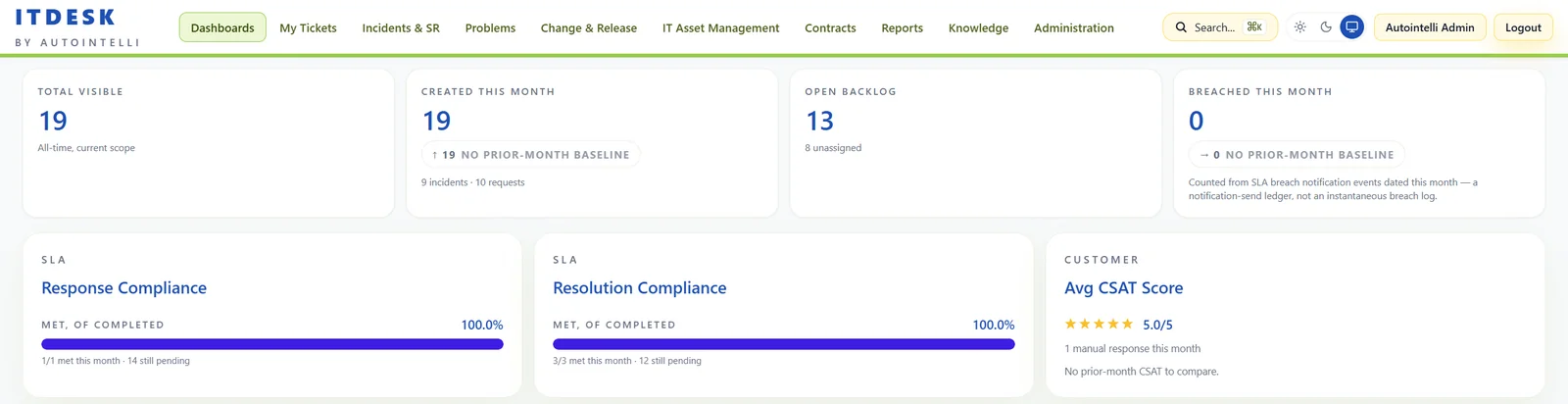
Closed withResponse and resolution targets per policy, near-breach warnings at a threshold you set, and At Risk and Escalated views on the ticket list.
Where time is lostA breach is noticed, mentioned in a stand-up and forgotten. No one takes the next step.
Closed withEscalation chains of up to four levels notify people, reassign the group or agent, or raise the priority, each after a delay you choose.
Where time is lostTime spent waiting on a user or a vendor is counted against the wrong team, so nobody can see where delay really comes from.
Closed withSLA clocks can pause while pending a user or a vendor, on business-hour calendars with holidays. Vendor escalations track acknowledge and resolve.
Where time is lostEach recurrence is solved from scratch and the knowledge stays in one technician's head.
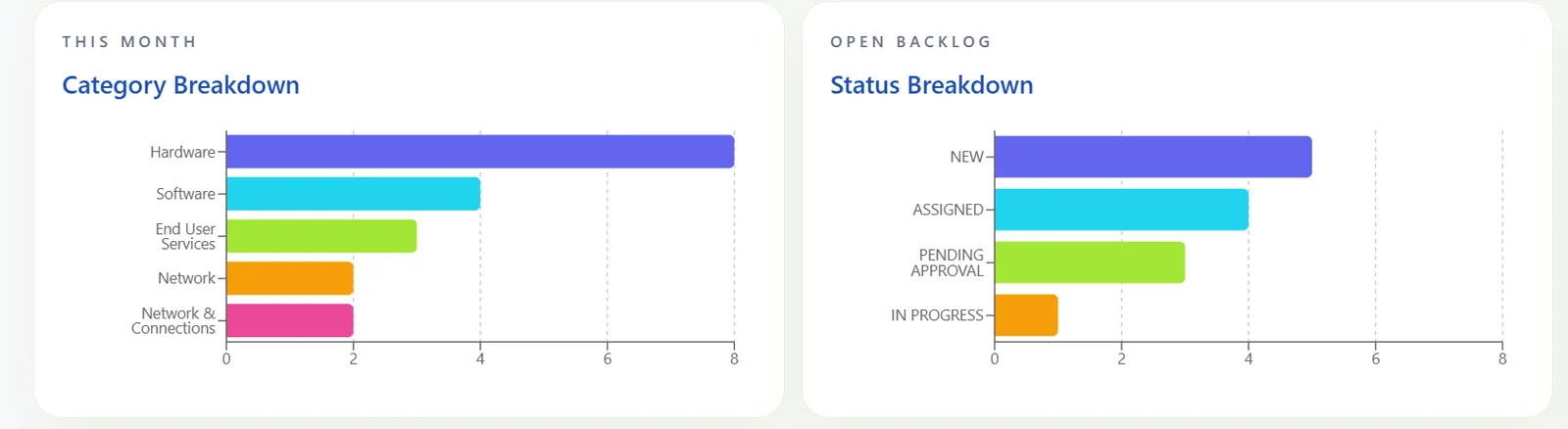
Closed withSuggested knowledge articles appear on the ticket, related tickets can be linked, and problem management tracks the root cause.
How ITDesk speeds it up
Four steps on one platform. Each one removes a gap where tickets used to stall.
Step 1 · Capture
Step 2 · Route
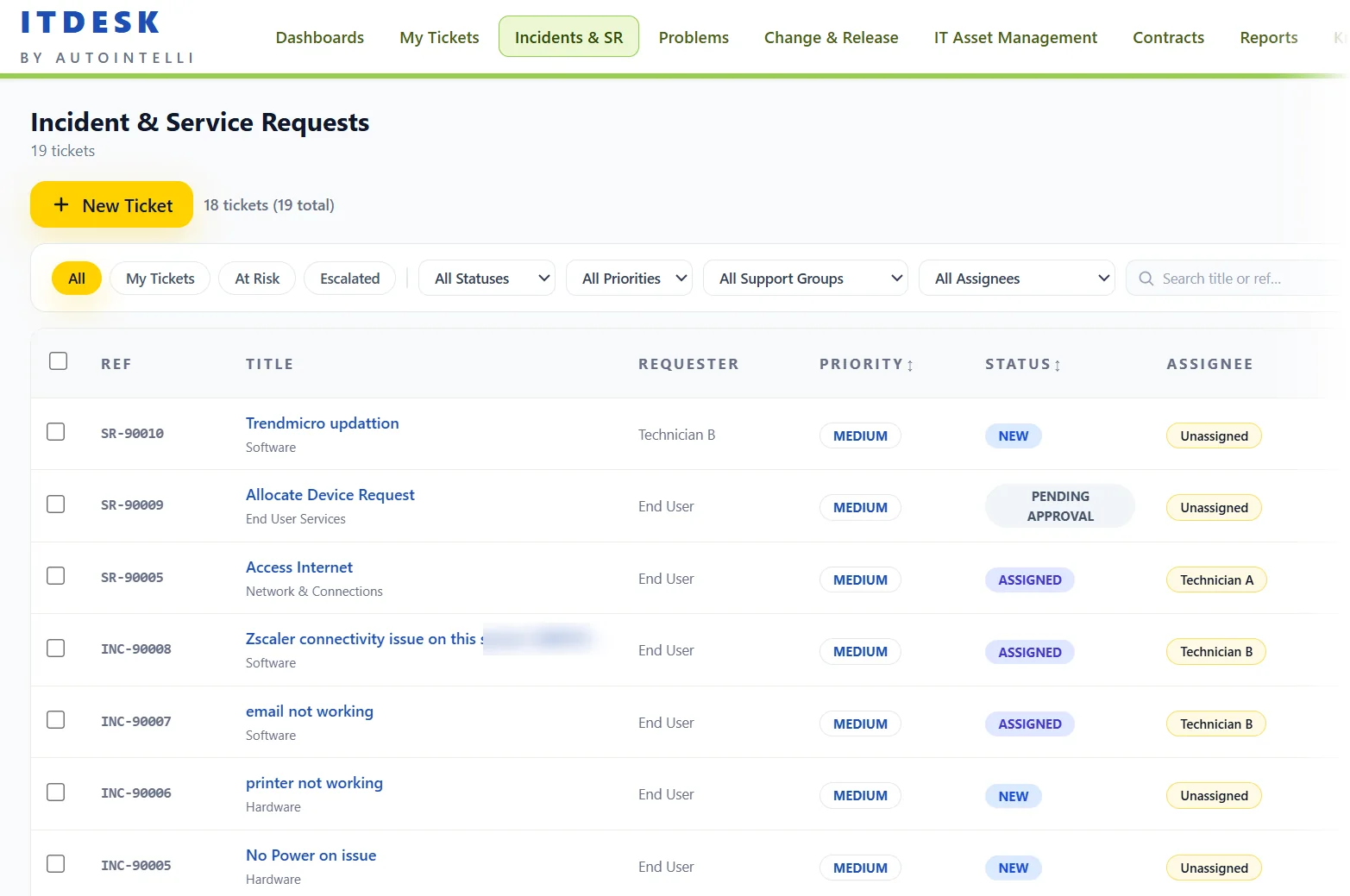
Step 3 · Guard
Step 4 · Learn
Escalation that runs itself
Drag the marker along the resolution clock, or press play, and watch a ticket move up the chain as time runs out.
The SLA policy is chosen from priority, category, department or VIP status, and the timers start.
The team lead is emailed while there is still time to act.
RESOLUTION_NEAR_BREACHThe service desk manager is notified.
SEND_EMAILThe ticket is reassigned to a senior support group.
REASSIGN_GROUPPriority is raised to Critical.
CHANGE_PRIORITYWhile a ticket is pending a user or a vendor, the clock can pause, so the count only reflects time your team owns.
Thresholds, levels, delays and actions are configured per SLA policy. This is a sample setup, not a fixed rule.
See it live
Screens are from ITDesk running sample data.
What changes
Routing and assignment happen when the ticket is created, not when someone finds time to triage.
Warnings arrive before a breach, and escalation moves the ticket up the chain without anyone remembering to.
Waits on users and vendors are tracked separately, so SLA compliance shows what your team controls.
Knowledge, problem records and CSAT feed back into the desk so repeat issues get quicker to fix.
Built with
Questions
SLA policies can match on ticket type, priority, department, category and VIP status, and assignment rules decide which policy a ticket gets. Each policy has its own response and resolution targets.
Yes. A policy can pause the clock while a ticket is pending a user, and while it is waiting on a third party such as a vendor. Timers can also follow business-hour calendars and holidays, so the count reflects time your team actually owns.
ITDesk sends a near-breach warning at a percentage you choose, then acts again on breach. Escalation rules can email people, reassign the group or agent, or change the priority, in up to four levels, each with its own delay. Each notification is recorded so the same one is not sent twice.
No. Business rules are built in the admin screens from conditions such as category, sub-category, priority, keyword, department and VIP status. For advanced cases, automation rules can also call a webhook or run a script.
A ticket can be escalated to a vendor, and ITDesk records when the vendor acknowledges and resolves it, with notes kept on the ticket. Vendors carry their own response and resolution targets, and the SLA clock can pause while the vendor works.
Catalogue requests carry approval stages, and approvers can respond from a secure link in the email. Requesters can rate a resolved ticket from 1 to 5 with a comment, and that feedback appears next to the SLA numbers.
Optionally. The WhatsApp channel can classify a request and suggest a knowledge article using a language model at an endpoint you configure, for example a model you host yourself. It is off unless you turn it on.
Email through mail-to-ticket, WhatsApp, the web portal and the service catalogue, all landing in the same queue. Slack, Teams and webhook notifications keep people informed.
See it on your own tickets
Tell us how your service desk runs today and we'll show you ITDesk handling it. No commitment required.