Secure every privileged identity. Take credentials out of spreadsheets and people's heads.
01
Encrypted password & secret vault
Credentials nobody ever sees
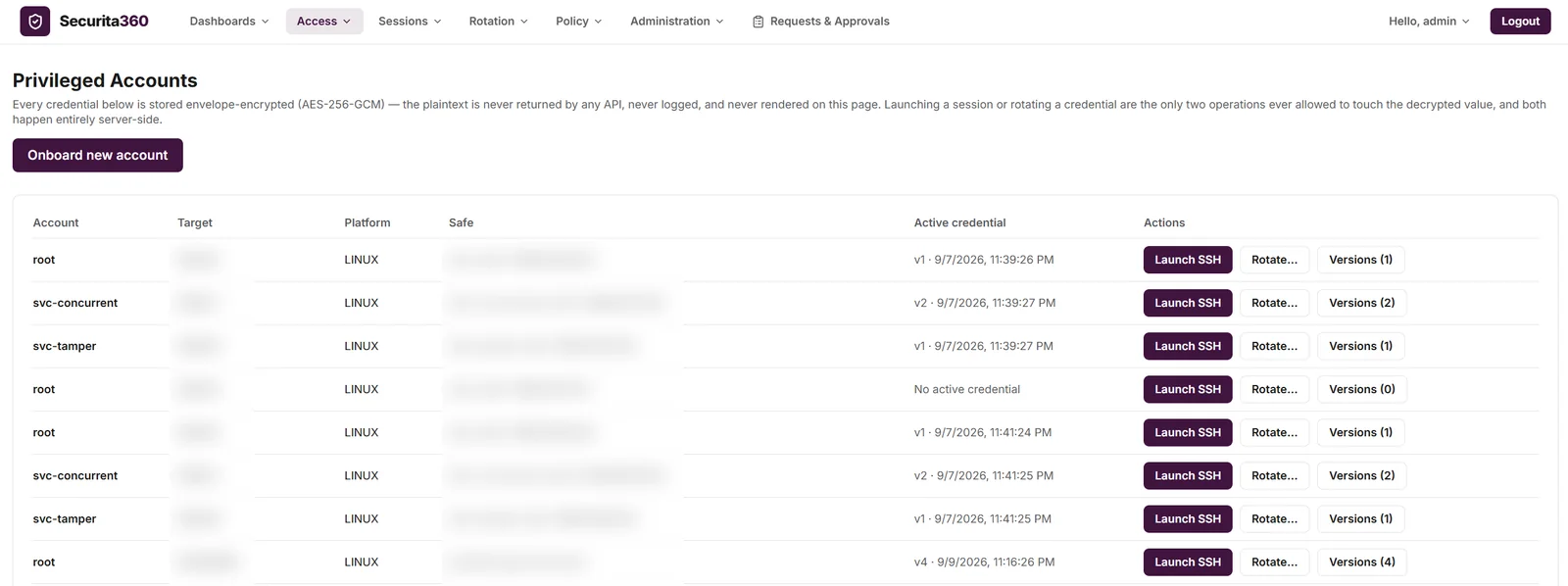
Every credential is stored envelope-encrypted with AES-256-GCM. The plaintext is never returned by an API, never logged and never shown on screen — only launching a session or rotating a credential ever touches it, and both happen server-side.
Envelope encryption for every secret
Versioned credentials with full history
Safes and controlled access
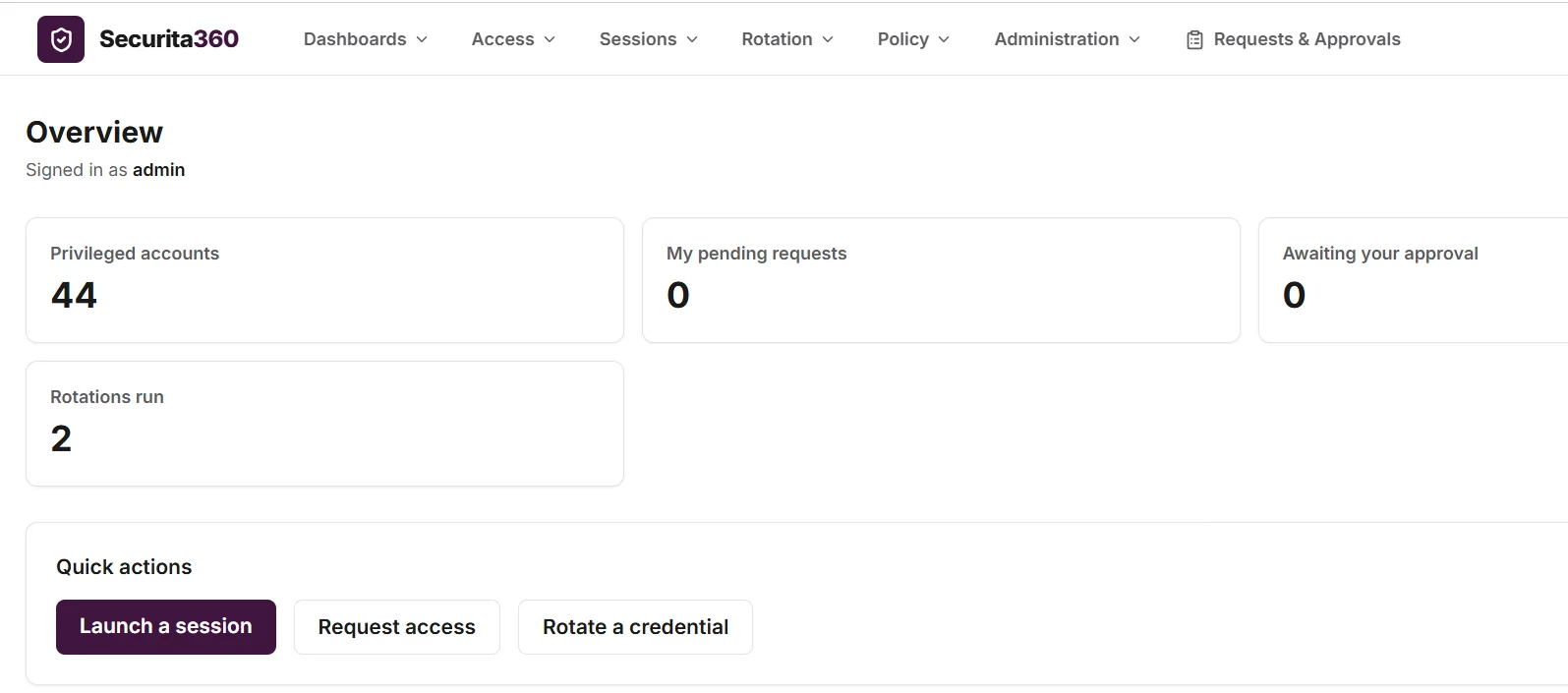
Privileged AccountsLive
AES-256-GCM envelope encryptionPlaintext never returned by any APIVersioned credentials
Screenshot from the product running on test data; identifying details are blurred.
02
Account onboarding & lifecycle
Bring every account under control
Onboard privileged accounts into the vault, check that each target is reachable from inside your approved network ranges, and follow every account through its lifecycle, from onboarded to decommissioned, with a reason recorded for each change.
Reachability checks against your approved network ranges
Securita360 changes the credential on the target, verifies that the new one works, and only then commits it to the vault — with a history of every rotation and whether it verified or failed. Available for Linux and Unix accounts over SSH.
Change, verify, commit — in that order
Rotation history with verified or failed status
Previous versions retained
On-demand password rotationSample data
1 · ChangeNew credential set on the target
2 · VerifyLogin tested with the new secret
3 · CommitVault updated, old version kept
Credential versions
v3v4 · verified
Rotation history
root@prod-app-02Verified
svc-batch@prod-app-07Failed · retry
04
RBAC, LDAP/AD & MFA
Least privilege, proven at sign-in
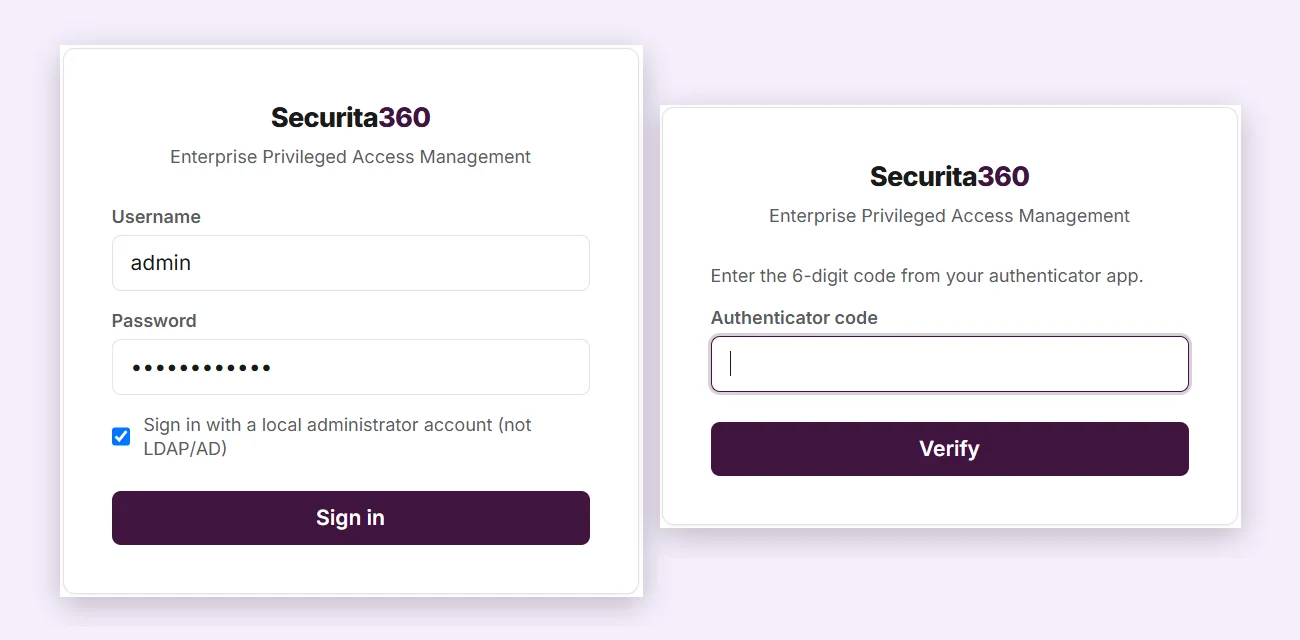
Role-based permissions keep every user to the access they need, sign-in can run through your LDAP or Active Directory, and authenticator-app MFA protects the door. Duties stay separated — the person who reviews an emergency grant is never the person who used it.
Role-based access control
LDAP / Active Directory sign-in
Authenticator-app (TOTP) MFA
Sign-inLive
RBACLDAP / Active DirectoryTOTP MFASeparation of duties
Screenshot from the product running on test data; identifying details are blurred.
Act two
Control
Control every session. Give people the access they need — for as long as they need it.
05
Agentless remote access
Browser in. Password never out.
Launch SSH, RDP and VNC sessions straight from the browser. Securita360's gateway brokers the connection and injects the credential server-side, so there is nothing to install on the target and no password for the user to copy.
Browser-based SSH, RDP and VNC
No agents on target systems
Credentials injected server-side
Agentless remote accessSample data
Any browserHTTPS
Securita360 gatewayVault · Policy · Recorder
Your serversSSH · RDP · VNC
The password never reaches the user's browser
06
Just-in-time access
Access that expires on its own
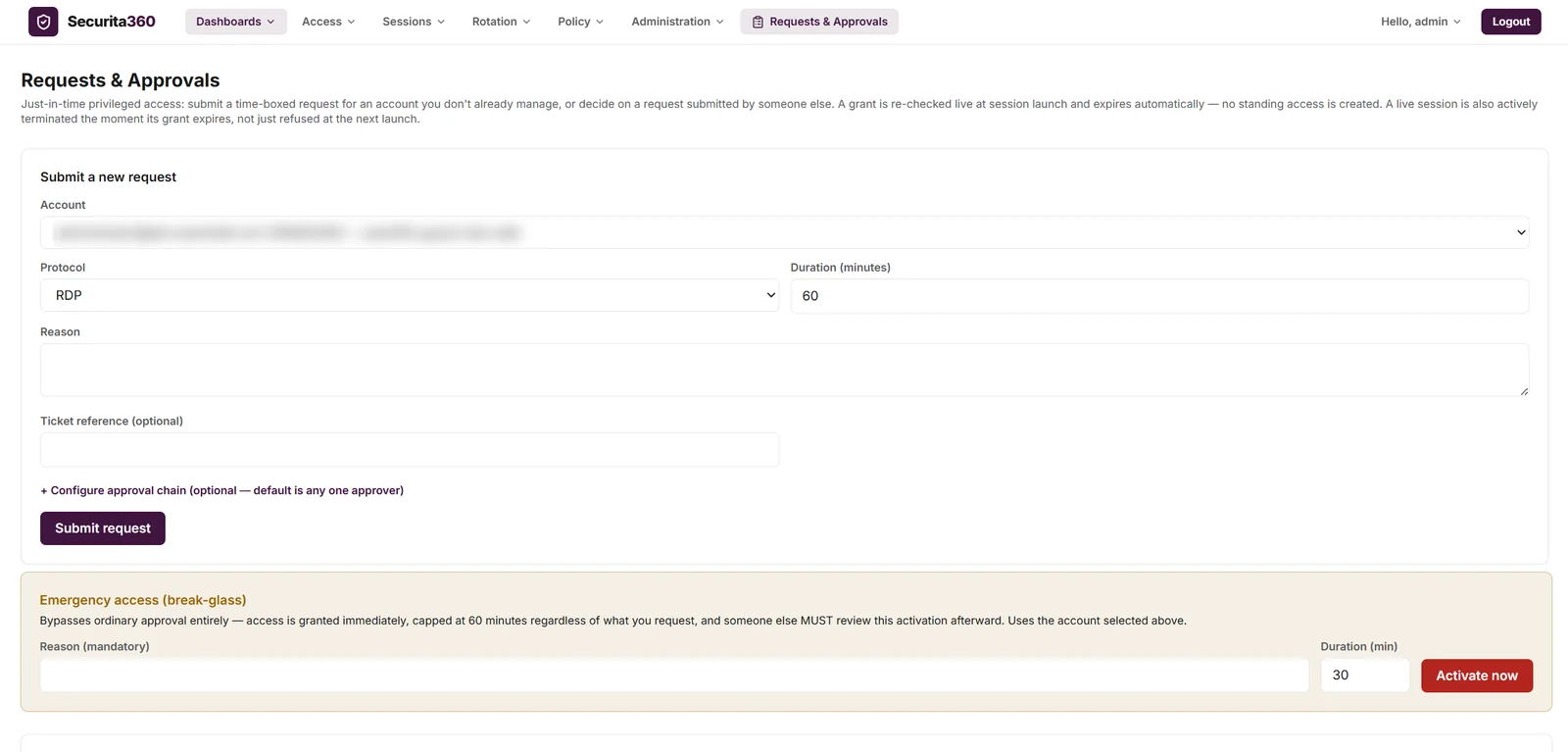
Users request time-boxed access with a reason and an optional ticket reference; approvers decide, and the grant is re-checked at launch and expires automatically. A live session ends the moment its grant runs out. For emergencies, break-glass gives immediate, capped access and forces a review afterwards.
Screenshot from the product running on test data; identifying details are blurred.
07
Command control & alerts
Stop the risky command, not the whole team
Define which SSH commands are allowed, denied, or end the session outright. Every violation is recorded and pushed to your webhook and email integrations as it happens.
Allow, deny or terminate by command policy
Command events in a violations dashboard
Real-time alerts to webhook and email
Command control & alertsSample data
SSH · prod-app-02 · a.raoREC
$ ls /etc/nginx✓ Allowed$ cat /etc/shadow✕ Denied — blocked by command policy$ systemctl stop firewalld■ Session terminated — policy: terminate
Alert dispatched to webhook and email
Act three
Prove
Prove every action. Turn 'we think' into 'here is the evidence'.
08
Session recording & playback
Replay any privileged session
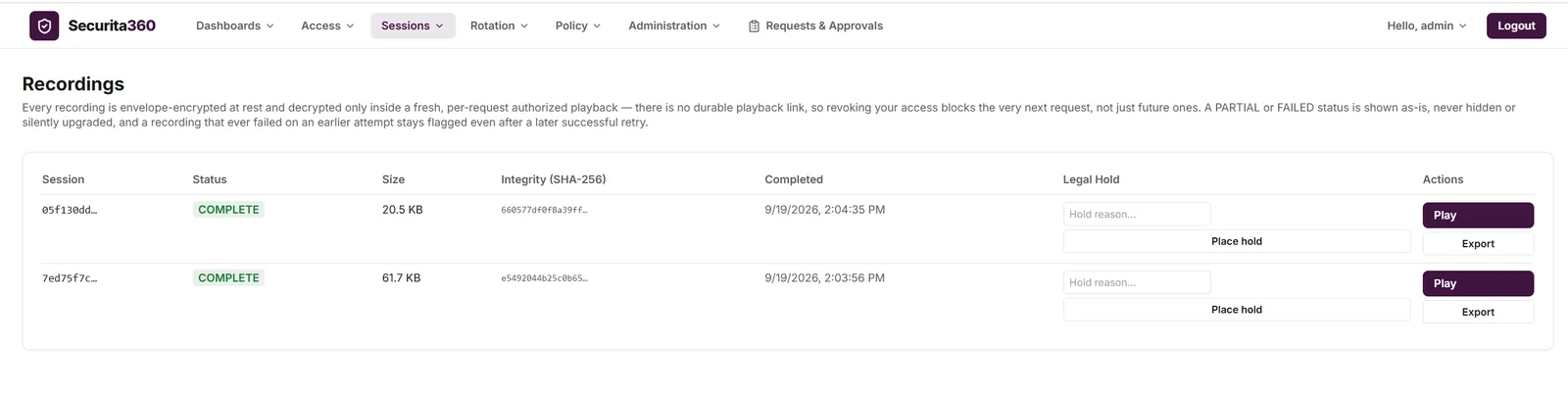
Record privileged sessions, encrypted at rest, and replay them only through a fresh, per-request authorization — so revoking someone's access blocks their very next request. Recordings carry a SHA-256 integrity value and can be placed on legal hold or exported as evidence.
Screenshot from the product running on test data; identifying details are blurred.
09
Tamper-evident audit & reports
An audit trail that shows when it's been touched
Audit events are chained so any alteration or deletion is detectable, and an integrity dashboard reports breaks. Export to your SIEM in CEF format for investigations and compliance evidence.
Hash-chained audit events
Integrity dashboard with break detection
SIEM export in CEF format
Tamper-evident auditSample data
#10429f3a…c1
#1043c81d…07
#104404be…9a
#10457d20…e5
#1046b6a1…3f
Integrity sweepBreak detected at #1045
Export
SIEM · CEF formatReady
Dashboards
Audit integrityMonitored
10
Policy, dashboards & integrations
One place to see risk. Everywhere to send it.
Central policy for access and commands, dashboards for command violations and audit integrity, and integrations that reach the rest of your stack: ITSM ticket checks, SIEM over syslog, webhooks and email.
Eliminate password sharingPeople launch sessions; they never see the password.
Minimize standing privilegeJust-in-time grants expire on their own.
Accelerate auditsRecordings and a tamper-evident trail answer 'who did what' with evidence.
Strengthen accountabilityEvery session, command and approval ties back to a named person.
Deployment & licensing
Your infrastructure. Your keys. Your terms.
Keep privileged data inside your own network, and license only the people who hold privileged access.
On-premises ready
Runs in your own data centre or private cloud, so credentials, recordings and audit evidence stay under your control.
Per privileged user licensing
Licensing follows the people who actually use privileged access — not every device or every session.
Built on Zero Trust principles
Verify every access. Protect every asset. Built in India, engineered for the world.
Standards & compliance
ISO27001Information security management
ISO9001Quality management
ISO27034Application security
SOC 2Type IIService organization controls
GDPRCompliantData protection regulation
RBIGuidelinesReserve Bank of India
Part of the Autointelli familyPair Securita360 with ITDesk for service management and Unified360 for infrastructure monitoring. Access requests can reference and check tickets in your ITSM.