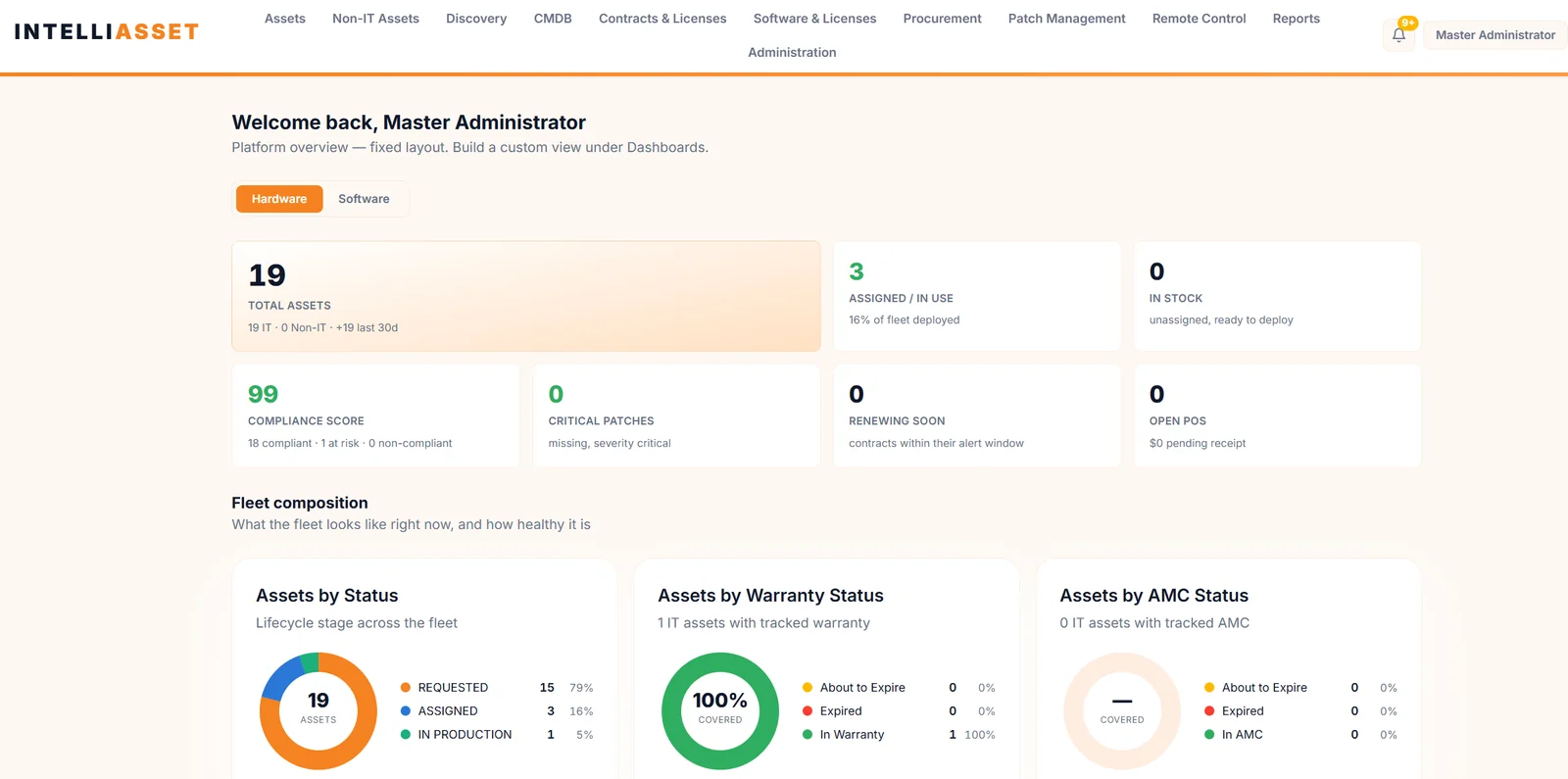
Software and hardware inventory, patch management, remote control, lifecycle tracking, CMDB and ISMS audit-ready reporting — and much more, in one system of record.
Screens from the product running on test data; identifying details have been blurred or removed.
The IntelliAsset story
Beyond an ITAM platform
Asset management is where IntelliAsset starts. Inventory, patching, remote support, lifecycle, CMDB and audit evidence all run on the same agent and the same data — so every team works from one truth.
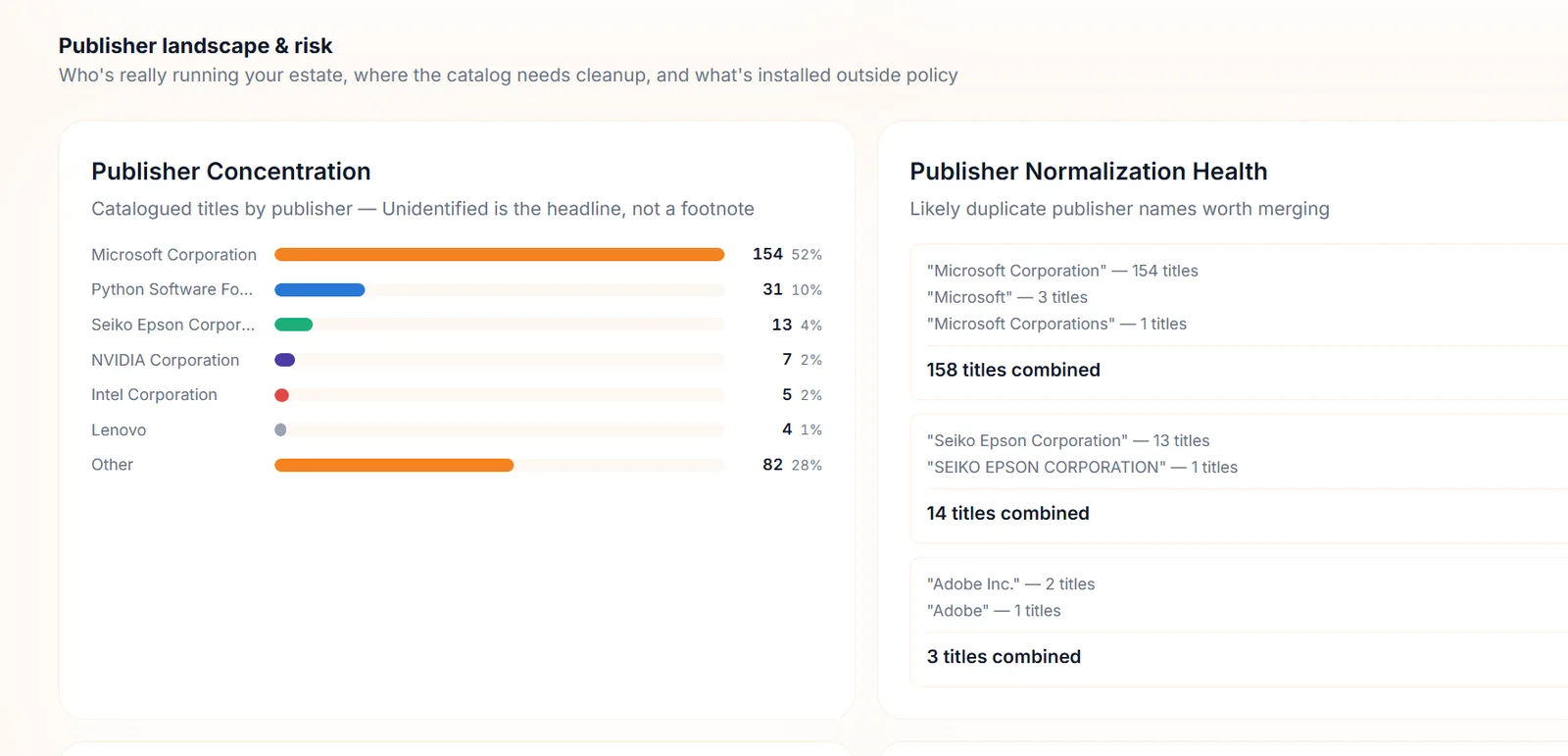
See exactly what is installed across the fleet, how much of it is licensed, and which publisher names need tidying — collected by the endpoint agent and refreshed on a schedule.
Installed titles per device, straight from the agent
Publisher concentration and normalization health
Unlicensed titles and license issues at a glance
Software estateLive
Agent-collectedWindows · Linux · macOSPublisher normalization
Screenshot from the product running on test data; identifying details are blurred.
02
SBOM · Roadmap
From installed software to software supply chain
Next on the roadmap: ingest SPDX and CycloneDX SBOMs, version them over time and link every component to applications, installed software and assets — then bring open-source license and vulnerability governance into the same record.
SPDX and CycloneDX ingestion, validated and versioned
Components linked to applications and assets
Open-source license and CVE correlation
SBOM ingestionRoadmap · illustrative
Drop an SPDX or CycloneDX fileValidated, versioned, linked to applications and assets
Component
Version
License
Findings
component-a
3.0.2
Apache-2.0
Clear
component-b
1.2.11
Zlib
Clear
component-c
7.88.1
MIT
Review
Linked assets12 devices
03
Patch management
Find what's missing. Deploy what's approved. Track every result.
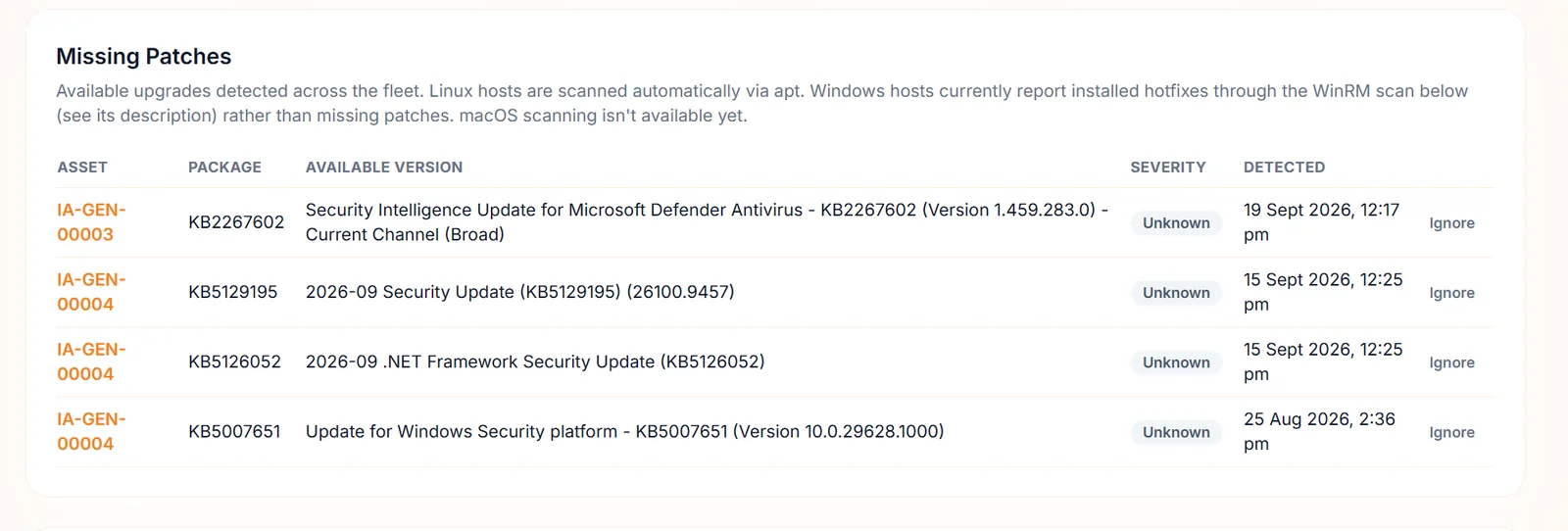
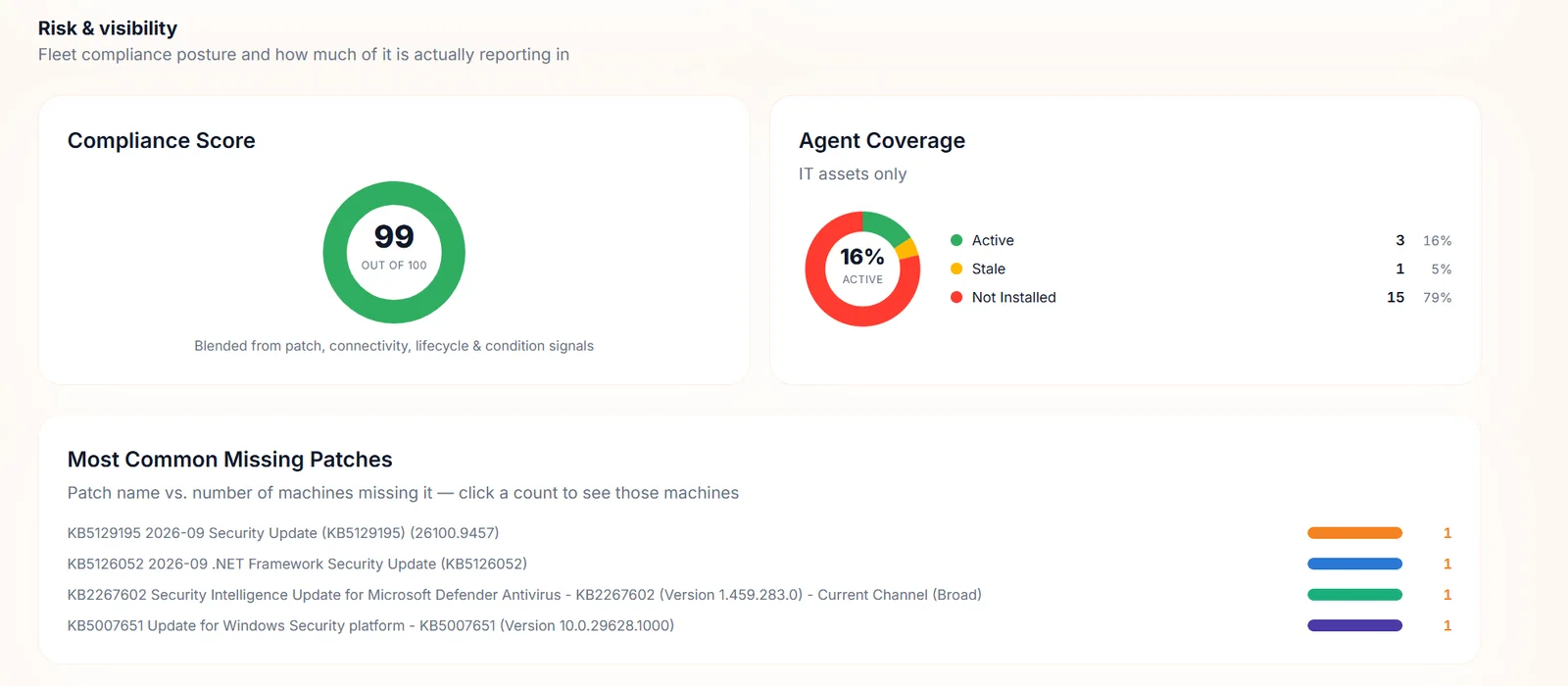
IntelliAsset detects missing patches on Windows and Debian or Ubuntu Linux, lets you group devices and set patch policies, deploys through tracked deployments and records a rollback decision, with its reason, when an update misbehaves.
Missing-patch detection per device
Patch policies, groups and a patch repository
Deployments with per-device status and rollback records
Patch deploymentSample data
Security updates · SeptemberIn progress
9Success
2In progress
1Rolled back
DraftScheduledIn progressCompleted
Risk & visibilityLive
Compliance scoreAgent coverageMost common missing patches
Screenshot from the product running on test data; identifying details are blurred.
04
Remote control
Fix it from anywhere — with the user's consent
Start a remote session straight from the console. The end user sees a consent prompt, can decline or end the session at any time, and every session lands in the history for audit.
Consent prompt before every session
Notice and end-session control for the user
Session history and audit trail
Remote control sessionSample data
End user's PCDesktop
Working as usual…
IT Support would like to control your computer
You can end the session at any time.
AllowDecline
● IT support is connected · 00:01End session
Technician console
SessionRequested
Request sent to the agent
End user consents
Session live
Ended and logged in history
05
Hardware inventory
Serial to BIOS to disk — collected, not typed
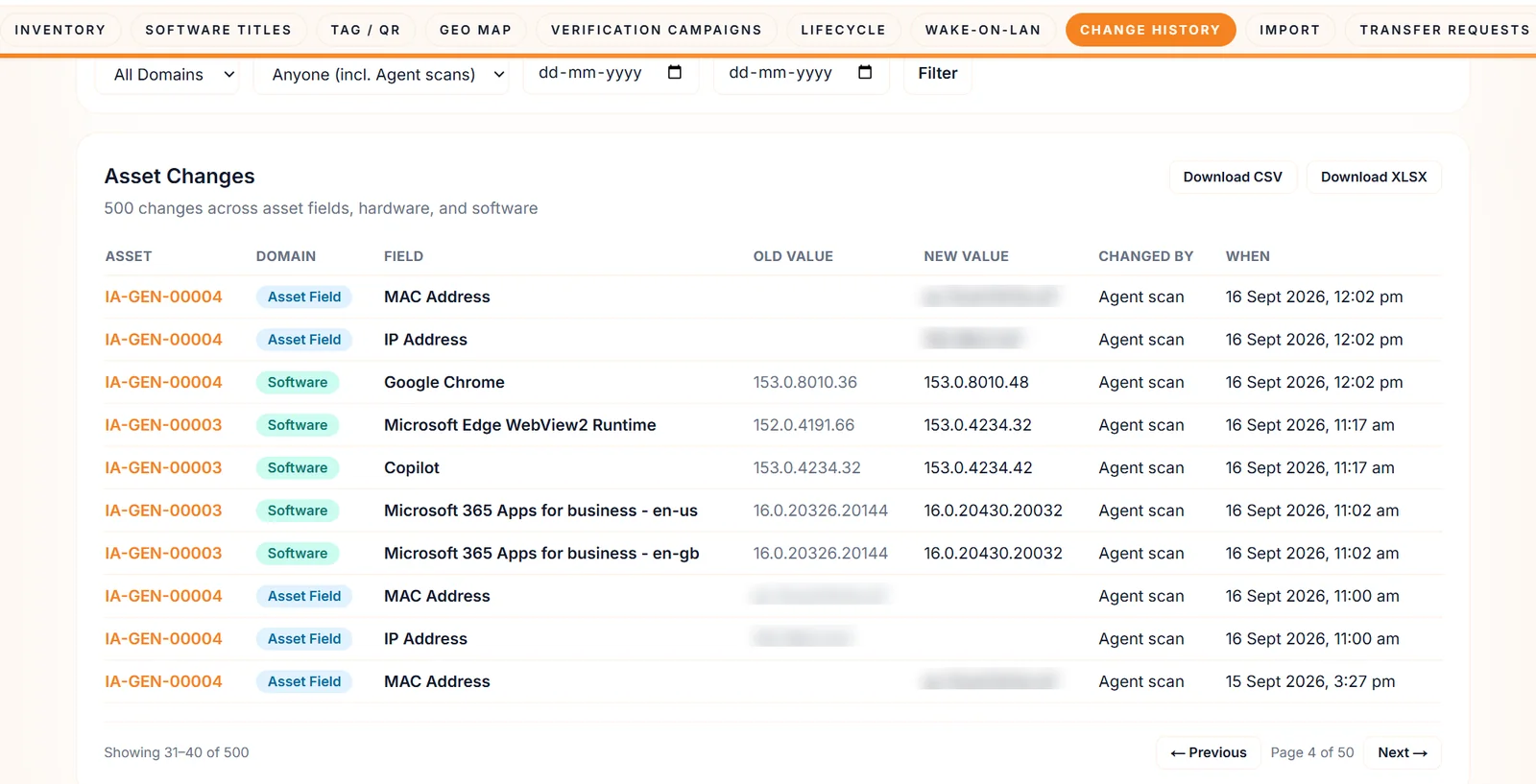
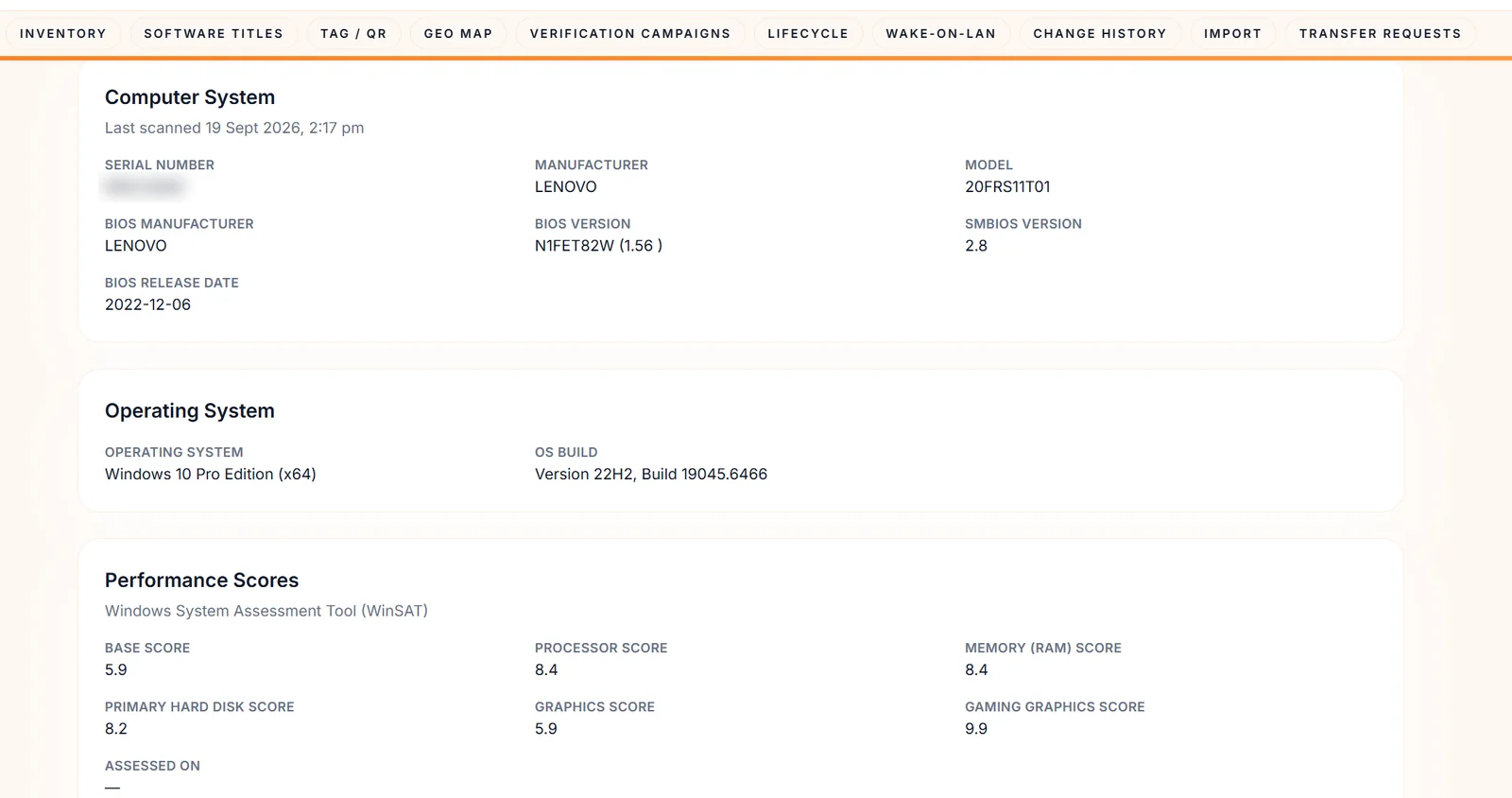
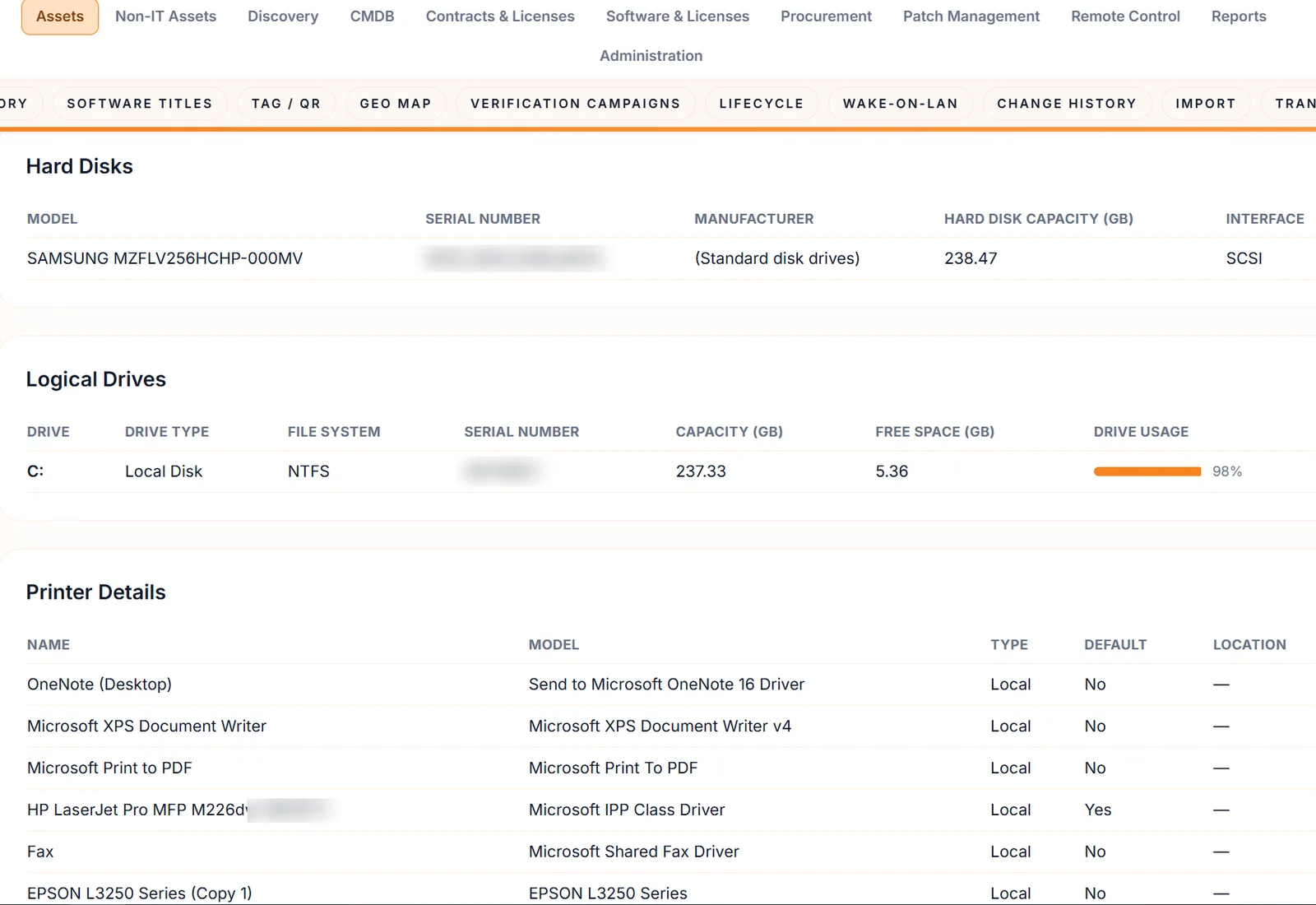
The agent reports serial number, BIOS, operating system, performance scores, disks, drives and printers, while discovery jobs find what agents can't reach. Every change is recorded.
Serial, BIOS, OS, disks, drives and printers from the agent
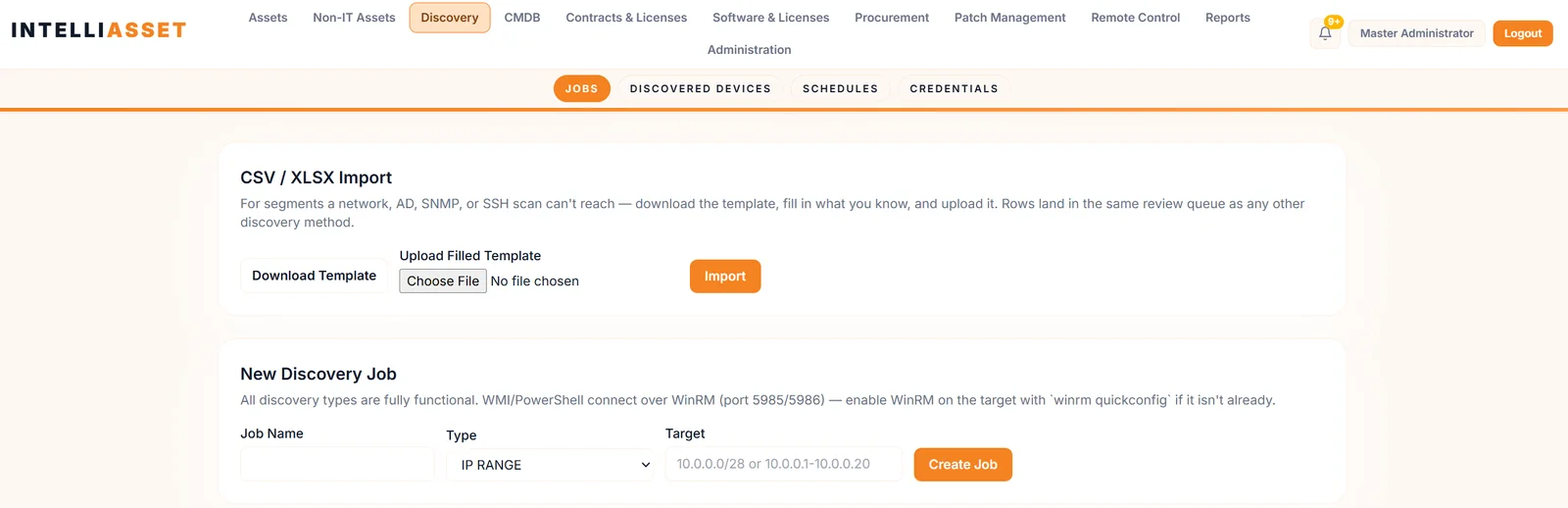
Discovery by IP range, subnet, AD, LDAP, SNMP, WMI, PowerShell and SSH
Import CSV or XLSX for anything a scan can't reach
Computer systemLive
Serial · BIOS · OSWinSAT performance scores
Screenshot from the product running on test data; identifying details are blurred.
Disks, drives and printersLive
Disks and drivesPrinters
Screenshot from the product running on test data; identifying details are blurred.
06
Lifecycle tracking
From purchase order to disposal
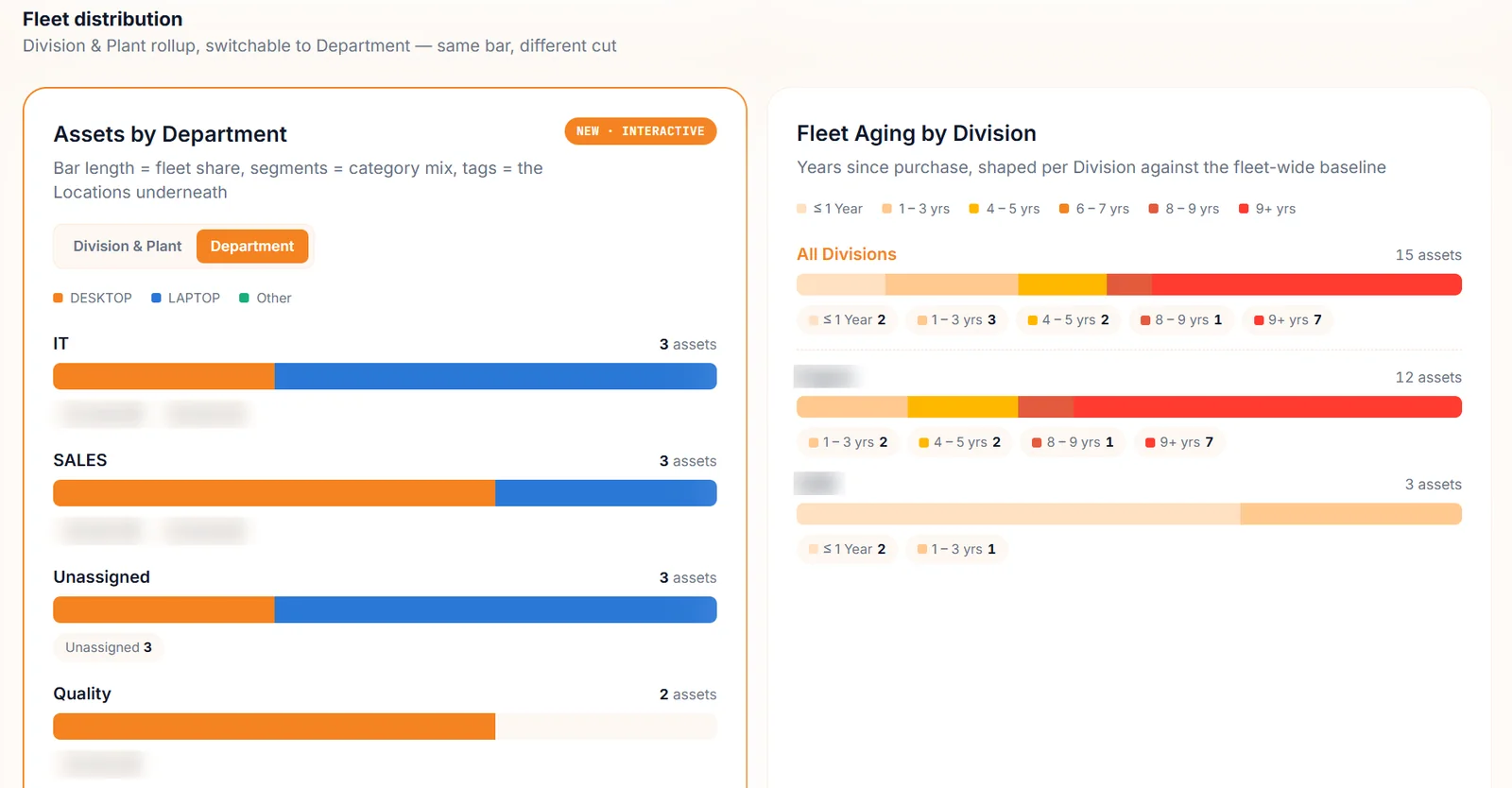
Follow every asset through fourteen lifecycle stages, from requested to disposed, with warranty and AMC tracking, renewal alerts, cost and depreciation, and a fleet-aging view that shows what is due for refresh.
Fourteen lifecycle stages, requested to disposed
Warranty, AMC and end-of-life tracking with renewal alerts
Fleet aging, cost and depreciation views
Asset lifecycleSample data
RequestedPurchasedReceivedIn stockAssignedIn productionRenewal dueEnd of lifeRetiredDisposed
Warranty & AMC
In warrantyCovered
About to expireRenewal alert
Cost & depreciation
Purchase costTracked
DepreciationScheduled
Fleet distributionLive
Fleet aging by divisionAssets by department
Screenshot from the product running on test data; identifying details are blurred.
07
CMDB
Know what breaks before it breaks
Model configuration items and the relationships between them, then run impact analysis to see which business services depend on the thing that just failed.
Configuration items with relationships
Impact analysis across dependencies
Linked to the asset record
CMDB impact analysisSample data
Failing itemImpacted
08
ISMS audit-ready reporting
Walk into the audit with the evidence already in the bundle
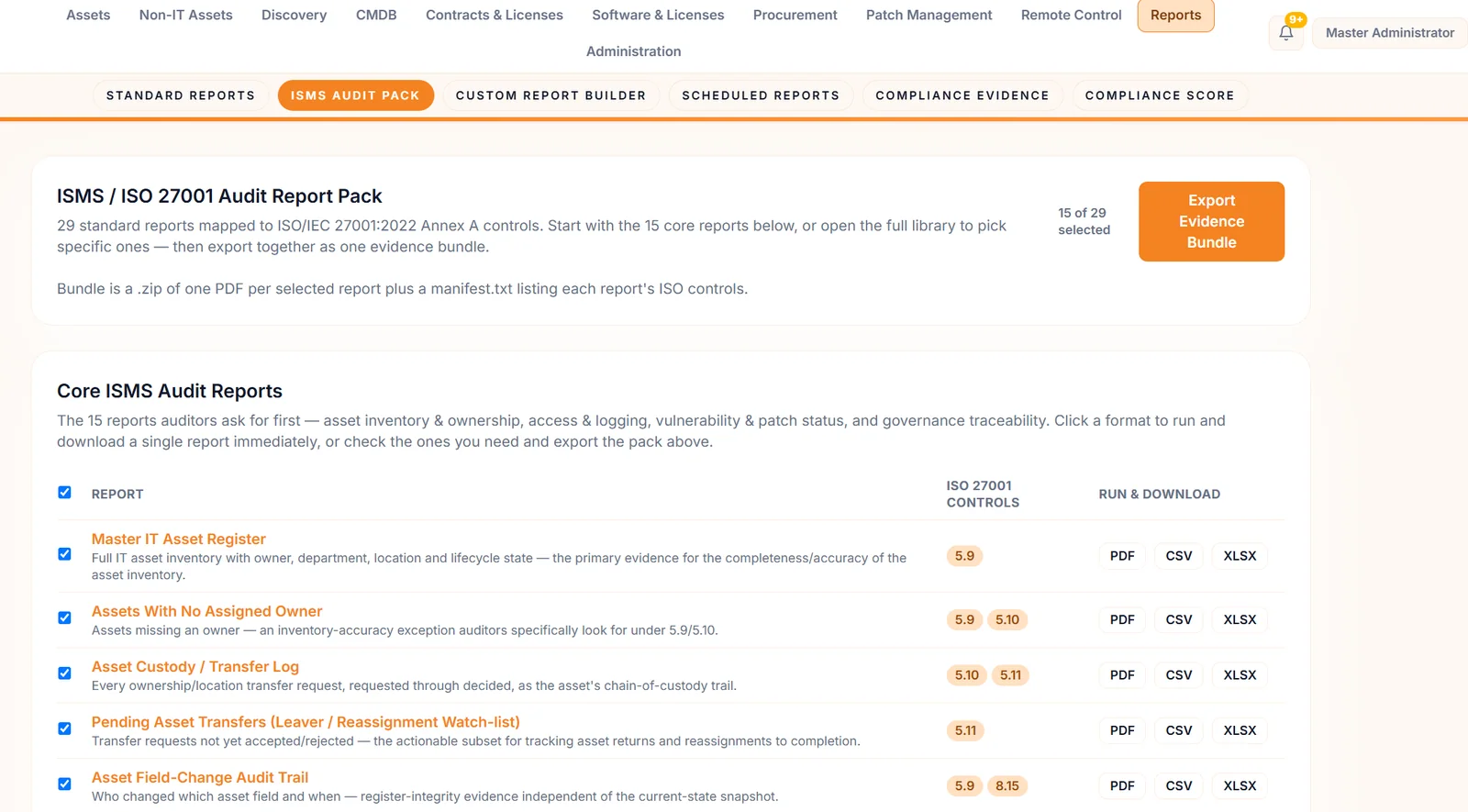
The ISMS audit pack contains 29 standard reports mapped to ISO/IEC 27001:2022 Annex A controls. Pick the reports you need and export them as one evidence bundle — a PDF per report plus a manifest listing each report's controls.
29 reports mapped to ISO/IEC 27001:2022 Annex A
15 core reports auditors ask for first
Evidence bundle, scheduled reports and a compliance evidence repository
Screenshot from the product running on test data; identifying details are blurred.
And much more
Everything an asset team touches, in one place
The eight chapters above are the headline. Underneath them sits everything that keeps an asset estate accurate, compliant and under control.
49+Capabilities
3Agent operating systems
8Discovery methods
29ISMS audit reports
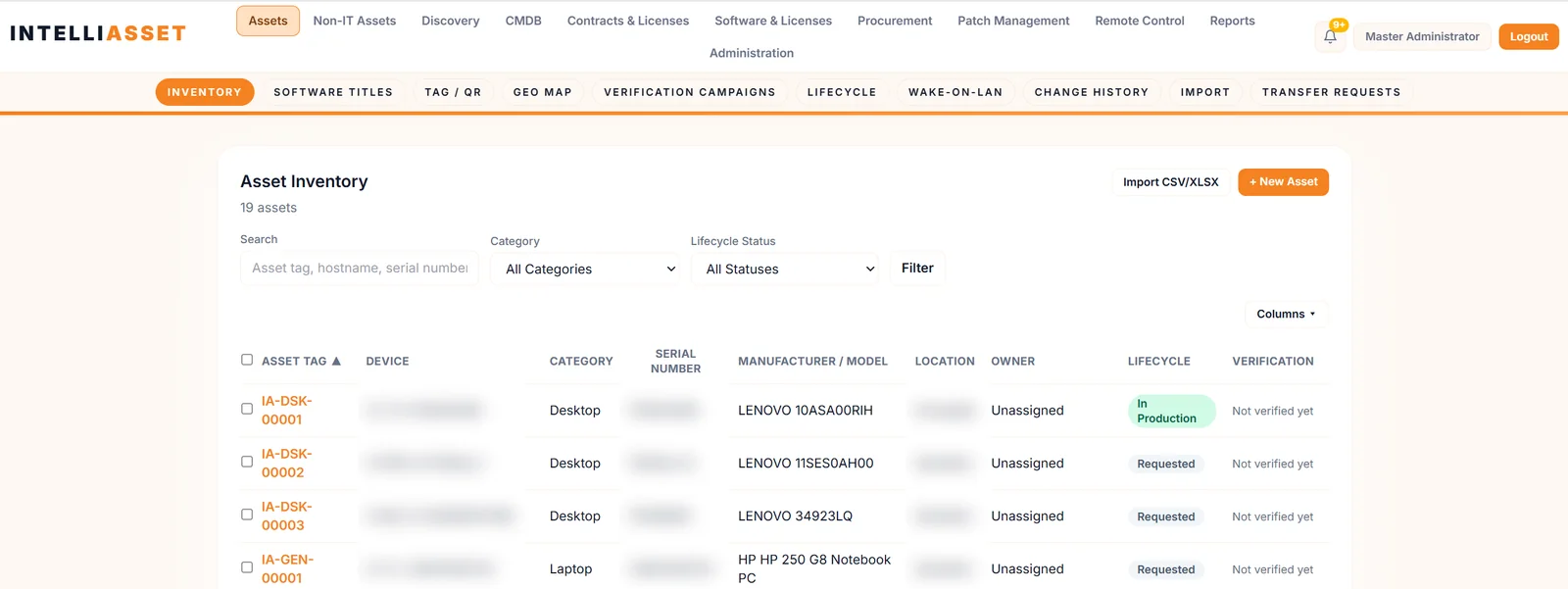
IT asset inventorySearch, filter, columns
Non-IT assetsCategories and import
Tags & QR labelsPrint and scan
Geo mapWhere assets are
Verification campaignsConfirm what's real
Transfer requestsChain of custody
Custom fieldsFit your process
Wake-on-LANPower on remotely
Change historyEvery field change
Asset ownershipOwners and scope
IP range & subnetNetwork discovery
Active Directory & LDAPDirectory discovery
SNMPNetwork devices
WMI & PowerShellWindows discovery
SSHLinux discovery
Discovery schedulesRun on a timetable
Credential storeScan credentials
Endpoint agentsWindows, Linux, macOS
CSV / XLSX importBulk onboarding
Patch policiesRules per group
Patch groupsTarget devices
Patch repositoryApproved packages
DeploymentsTracked rollouts
Rollback logRecord the decision
Declined patchesRecord decisions
Remote controlConsent-based
Remote session historyAudit of sessions
ContractsRegister and renew
RenewalsUpcoming renewals
Warranty & AMCCoverage status
Software licensesPer-title compliance
Cost & depreciationFinancial view
Purchase ordersProcure to receive
VendorsVendor records
Renewal emailsNotify owners
ISMS audit pack29 reports, Annex A
Standard reportsReady to run
Custom report builderBuild your own
Scheduled reportsDelivered by email
Compliance evidenceChecksummed uploads
Compliance scorePatch, lifecycle, health
DashboardsHardware and software views
Audit logWho did what
LDAP sign-inDirectory login
Roles & permissionsLeast privilege
Business unitsDivisions and plants
DepartmentsOrganise assets
LocationsSites and offices
SMTPEmail delivery
Deployment
Your infrastructure. Your data. Your pace.
Run IntelliAsset on your own servers and bring endpoints in with a pre-configured agent.
Self-hosted
A Docker-based install with PostgreSQL, Redis and S3-compatible storage, so inventory, documents and evidence stay inside your network.
Agents that enroll themselves
Download the agent from the console already configured with your server and enrollment token: double-click on Windows, one command on Linux and macOS.
Secure by design
Per-agent keys, trust for your own certificate authority, LDAP sign-in and role-based access, with an audit log of what changed.
Part of the Autointelli familyPair IntelliAsset with ITDesk for service management, Unified360 for infrastructure monitoring and Securita360 for privileged access.